Using a continuous glucose monitoring system can make diabetes management significantly easier and more efficient. Devices like the FreeStyle Libre continuous glucose monitoring system are designed to provide real-time insights, reduce the need for finger-prick testing, and help users stay in control of their health.
However, like any technology, occasional issues can occur. Many users experience situations where the sensor does not scan, shows inaccurate readings, or suddenly stops working. When your FreeStyle Libre sensor not working, it can feel frustrating—especially if you depend on it daily.
The good news is that most problems are common and can be resolved with simple troubleshooting steps. And if you ever need a quick replacement, you can always buy FreeStyle Libre sensors in the UK at an affordable price to ensure uninterrupted monitoring.
Why Your FreeStyle Libre Sensor May Not Work
There are several reasons why your FreeStyle Libre CGM system may not function as expected. In most cases, the issue is temporary and can be fixed without replacing the sensor.
Common causes include incorrect sensor application, temporary signal interruptions, app-related glitches, or environmental factors such as temperature and movement. Sometimes, the sensor may also require time to stabilise, especially within the first few hours of use.
Understanding these potential causes helps you troubleshoot effectively and avoid unnecessary replacements.
Most Common FreeStyle Libre Problems
Below are the most frequent issues users face, along with practical solutions.
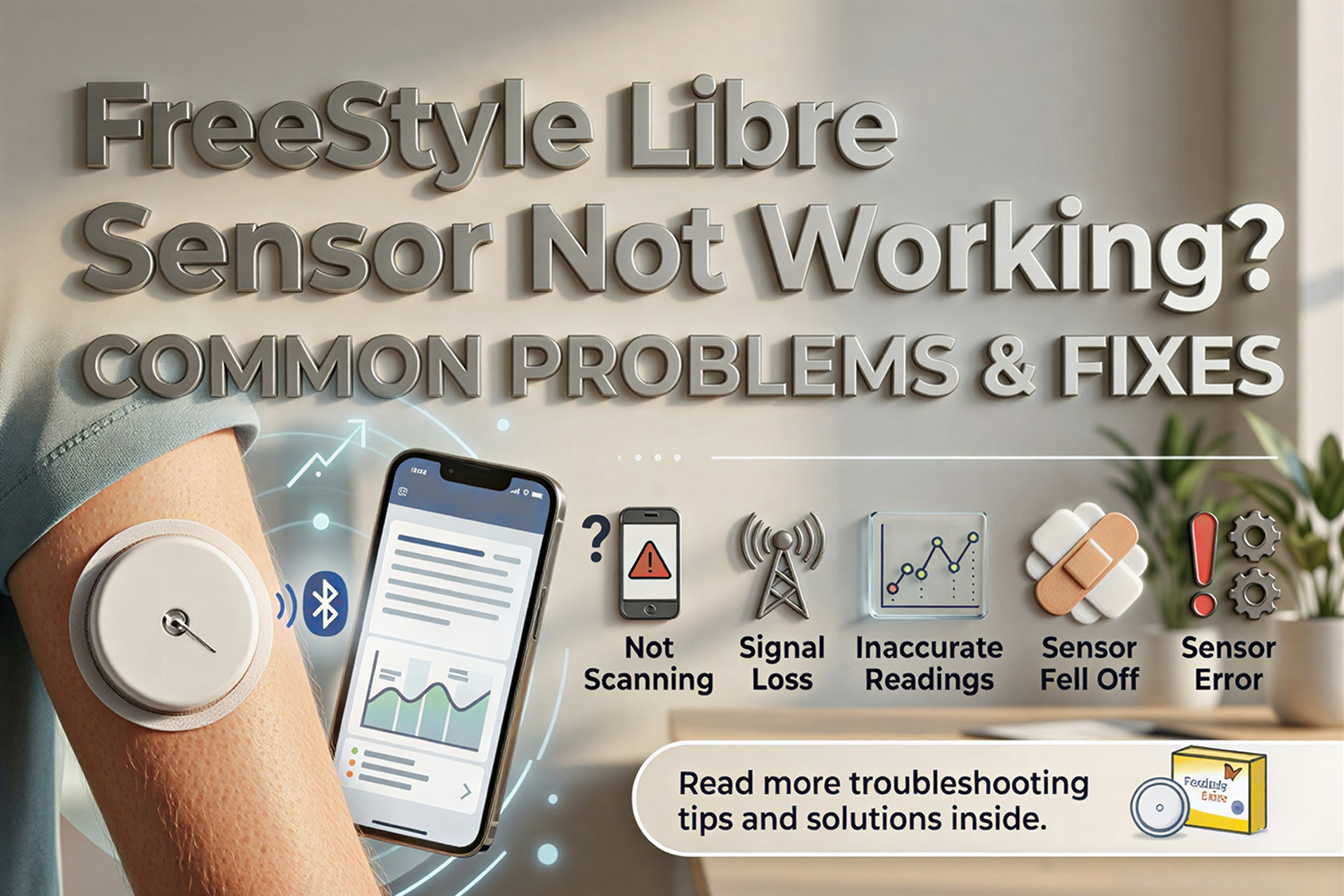
1. Sensor Not Scanning
One of the most common issues is when the sensor does not scan properly. This can happen if the device is not positioned correctly or if the app is not responding.
In some cases, users may scan too quickly or move the device away before the scan is complete.
Possible fixes:
- Hold your phone or reader close to the sensor
- Keep the device steady while scanning
- Restart your smartphone or app
Try scanning again after a few seconds
2. Sensor Not Connecting or Signal Loss
Signal loss or connection problems are usually related to Bluetooth or device settings. If your phone is too far from the sensor or Bluetooth is turned off, the connection may drop.
This can also happen if multiple devices are interfering with the signal.
Possible fixes:
- Ensure Bluetooth is turned on
- Keep your phone within range of the sensor
- Restart your phone or app
- Avoid interference from other wireless devices
3. Inaccurate Readings
Some users notice that their readings seem inaccurate or do not match how they feel. This is particularly common during the first 24 hours after applying a new sensor.
The FreeStyle Libre CGM system measures glucose in interstitial fluid rather than blood, which can sometimes cause slight delays in readings.
Possible fixes:
- Allow the sensor time to stabilise
- Avoid frequent comparisons with finger-prick tests
- Ensure proper sensor placement
- Stay hydrated for more consistent readings
4. Sensor Fell Off
A sensor falling off before its expected lifespan is another common issue. This can occur due to sweat, improper application, or friction from clothing.
Possible fixes:
- Apply the sensor on clean and dry skin
- Avoid areas with excessive movement
- Use adhesive patches for extra support
- Be careful during physical activities
To reduce this problem, many users prefer bundle options like FreeStyle Libre 3 with wipe and patch for better adhesion and durability.
5. Sensor Error Messages
Sometimes the system may display messages like “Sensor Error” or “Replace Sensor.” These errors can be temporary or indicate a more serious issue.
Temporary errors often resolve on their own, while persistent errors may require replacement.
Possible fixes:
- Wait 10–15 minutes and try again
- Restart the app or device
- Re-scan the sensor
- If the error continues, consider replacing the sensor
Quick Fixes You Can Try
Before assuming your sensor is faulty, it’s always worth trying a few basic troubleshooting steps.
Quick Troubleshooting Tips:
- Restart your smartphone or reader
- Turn Bluetooth off and on again
- Close and reopen the app
- Re-scan the sensor after a short delay
- Check for app or software updates
- Ensure the sensor is properly attached
These simple steps can often resolve issues within minutes.
When Should You Replace the Sensor?
While many problems can be fixed, there are situations where replacing the sensor is the best option. Continuing to use a faulty sensor may result in inaccurate data, which can affect your health decisions.
If your FreeStyle Libre sensor not working properly even after trying all troubleshooting steps, it is better to replace it.
Signs You Need a Replacement:
- Sensor does not scan at all
- Repeated or permanent error messages
- No readings for extended periods
- Physical damage or detachment
- Consistently inaccurate readings
In such cases, you can easily buy FreeStyle Libre 3 CGM sensor UK or upgrade to advanced options like FreeStyle Libre 3 Plus at low price UK.
How to Avoid FreeStyle Libre Sensor Problems
Preventing issues is always easier than fixing them. Proper usage and care can significantly improve your experience with the sensor.
Best Practices:
- Apply the sensor correctly on clean skin
- Avoid placing it on areas with frequent movement
- Use patches or adhesives for extra support
- Keep your device updated
- Follow manufacturer instructions carefully
These steps can help ensure consistent performance and reduce the risk of errors.
What to Do If Your Sensor Fails Early
If your sensor stops working before completing its expected lifespan, you may be eligible for a replacement from the manufacturer.
Most companies provide support for faulty sensors, so it is worth contacting them before purchasing a new one. However, if you need an immediate replacement, having a backup is always a good idea.
You can order FreeStyle Libre 2 Plus online in the UK or choose value packs like the Abbott Libre 3 sensor pack of 2 for continuous monitoring.
Where to Buy Replacement FreeStyle Libre Sensors in the UK
If your sensor stops working and you need a replacement quickly, choosing a trusted supplier is essential. You can buy FreeStyle Libre online in the UK from a reliable store that offers genuine products and fast delivery.
Explore options through the FreeStyle Libre official online pharmacy UK for multiple sensor types and bundle deals. To learn more, visit the About Diabetes Pharmacy UK page.
If you need help, you can contact the diabetes pharmacy support team. You can also explore helpful guides in the diabetes blogs and tips UK section.
Conclusion
Experiencing issues with your FreeStyle Libre sensor not working can be frustrating, but most problems are temporary and easy to fix.
From scanning issues to signal loss and inaccurate readings, simple troubleshooting steps can resolve most situations. However, if the issue continues, replacing the sensor ensures you maintain accurate and reliable monitoring.
The FreeStyle Libre continuous glucose monitoring system remains one of the most effective tools for managing diabetes, offering convenience, accuracy, and better control.
If you need a replacement or want to upgrade, you can shop FreeStyle Libre sensors in the UK at an affordable price and continue your monitoring without interruption.